


Ricoh 842561 Black Toner Cartridge (30,000 pages) - Black Toner - High Yield Toner
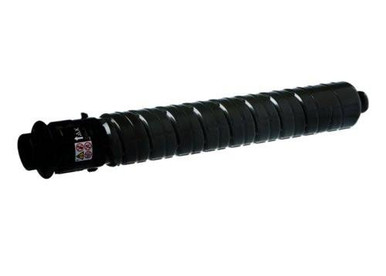
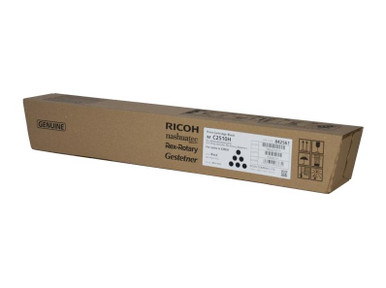
Ricoh 842561 Black Toner Cartridge (30,000 pages) - Black Toner - High Yield Toner
✔ Next Day Delivery Available | ✔ 12 Month Warranty | ✔ Money Back Guarantee | ✔ High Quality Prints Every Time |
Ricoh IM C 2010 A
Ricoh IM C 2510
- Brand: Ricoh (Genuine / OEM)
- Product code: Ricoh 842561
- Type: Toner Kit
- Colour: Black
- Yield: Prints approximately 30,000 pages @ 5% coverage (ISO/IEC 19752)
- Quantity per pack: 1 pc(s)
Ricoh IM C 2010 A
Ricoh IM C 2510
OEM vs Compatible Toner – What’s the Difference?
- OEM (Genuine Ricoh 842561): Manufactured by Ricoh for Ricoh devices. Designed to deliver consistent print quality and reliable operation.
- Compatible alternatives: Third-party manufactured toners that can offer cost savings, but quality and firmware compatibility may vary by supplier and printer model.
- Best for: Choose OEM if you want maximum consistency, manufacturer engineering, and the lowest risk of compatibility issues in managed office environments.
- Help choosing: If you print high volumes or your device is critical to daily operations, OEM is often the safest option.
How to Install Ricoh 842561 Toner (Ricoh IM C 2010 / IM C 2510)
- Ensure the printer is powered on and idle (not printing).
- Open the front/access panel as per the printer’s on-screen prompts.
- Remove the empty toner kit carefully and dispose of it responsibly.
- Unpack the new Ricoh 842561 toner kit. Gently rock it side-to-side a few times to distribute toner.
- Insert the toner kit into the correct slot until it clicks/locks in place.
- Close the...
| Specifications | Descriptions |
|---|---|
| category | Toner Cartridges > Ricoh Toner > Black Toner > High Yield Toner > Ricoh IM C Series |
| brand | Ricoh Printer Cartridges |
| ProgramName | Cartridge World |

Get 50% Discount.
Lorem, ipsum dolor sit amet consectetur adipisicing elit. Exercitationem, facere nesciunt doloremque nobis debitis sint?